
Quick answer
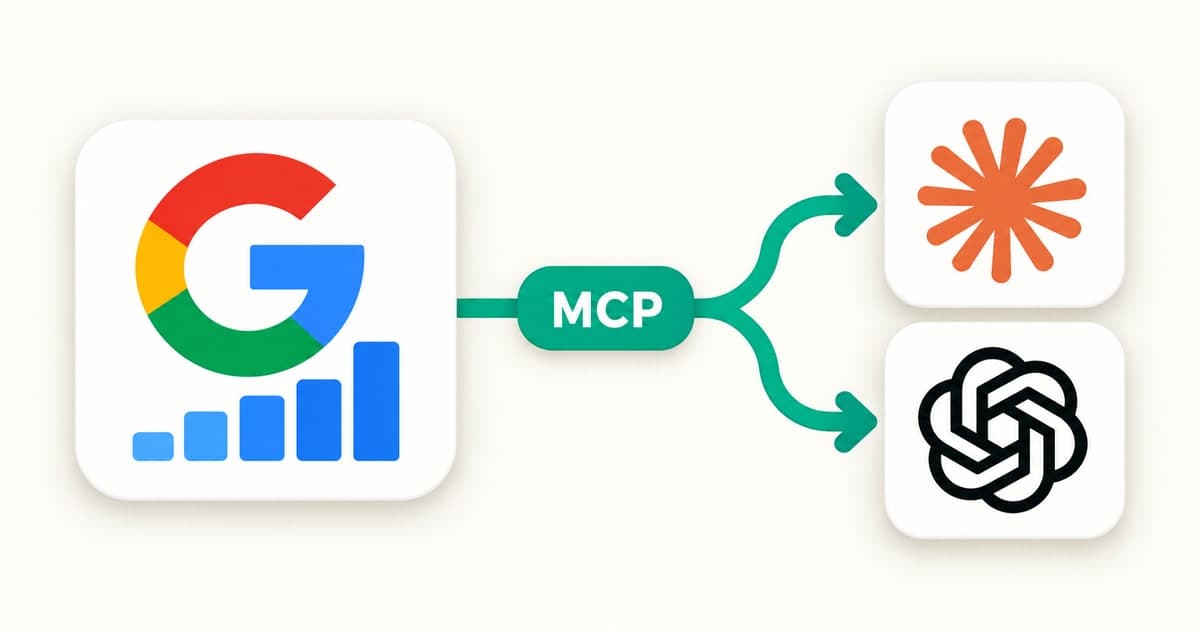
A Google Search Console MCP connects your Search Console data to an AI assistant like Claude or ChatGPT, so it answers SEO questions from your real numbers instead of guessing. Google doesn't offer one itself, so you connect it through a third-party tool. The best choice for most people is LinkGPT: connect once in a few minutes with no Google Cloud setup, then ask what to fix in plain words.
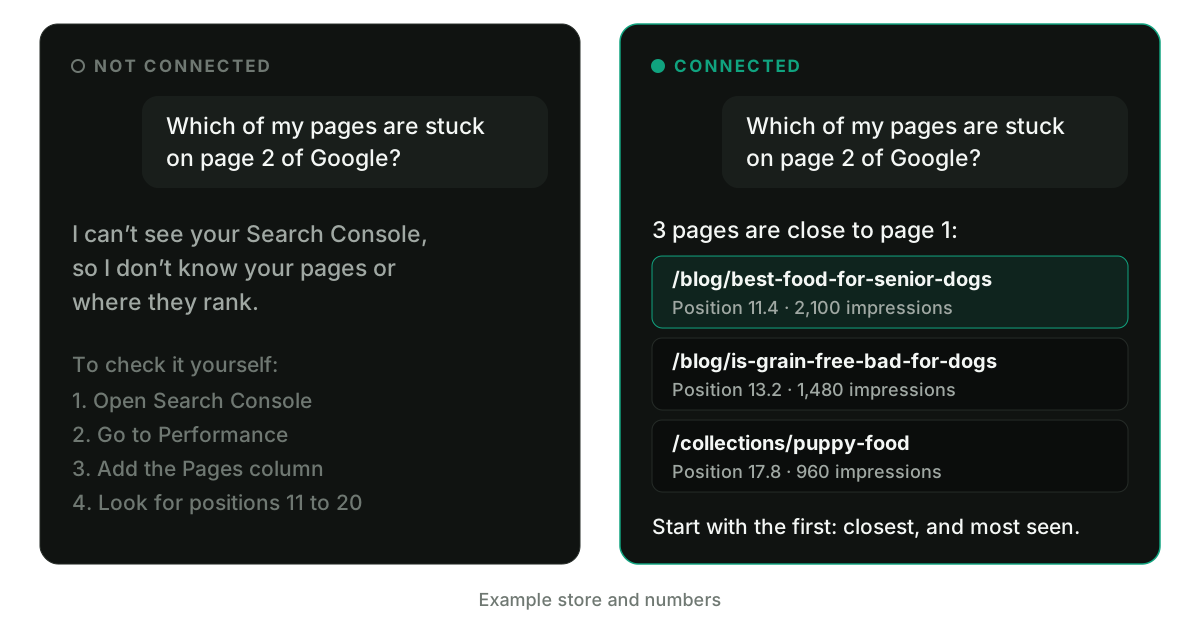
Open a new chat in Claude and ask: "Which of my pages are stuck on page 2 of Google?"
It can't tell you. Claude has never seen your Search Console, so the best it can do is explain how to look it up yourself.
Connect Search Console and ask again. Now you get your actual pages, their positions and the searches behind them, plus which one to fix first.
That's what a Search Console MCP does. I built LinkGPT so anyone can set this up in a few minutes, without touching Google Cloud. This post shows you how it compares, how to connect it and the five questions I'd ask first.
What is a Google Search Console MCP?
MCP stands for Model Context Protocol. It's an open standard for connecting AI apps to outside data and tools, and its own docs compare it to a USB-C port for AI.1
A Search Console MCP is a small server that sits between your assistant and Google's Search Console API. You ask a question in plain words. The assistant works out which data it needs, the server fetches it from Google, and the assistant answers from those numbers.
It can read what you'd see in the Search Console dashboard:
- The searches your site shows up for
- Clicks, impressions, click-through rate and average position, by search or by page
- Whether a page is indexed, and why not if it isn't
That means no filters, no exports and no spreadsheet. Google's API also goes well past the dashboard's 1,000-row export limit.2
Does Google have an official Search Console MCP?
No, not at the time of writing. Google publishes MCP servers for other products, including Google Analytics, BigQuery and Maps, but Search Console isn't on its lists.3,4 So you connect it through a third-party tool built on Google's public API.
What's the best Google Search Console MCP?
For most people, it's LinkGPT. You connect your site and Search Console once, then paste one link into your assistant. There's no Google Cloud project and no config file, and it works in Claude, ChatGPT and Muse.
You also get more than your Search Console numbers. Search Console can only tell you about searches you already show up for. LinkGPT adds the rest:
- Keywords you could win. Real monthly searches and difficulty from live Google data.
- Searches your competitors win. The ones they rank for and you don't.
- What AI says about you. Whether ChatGPT, Perplexity, Gemini, Claude and Grok recommend you, and who they name instead.
- What to fix first. A ranked list across Google and AI search, with the reason and the steps for each item.
How does LinkGPT compare with the other options?
Two other options you'll likely run into are Windsor.ai's hosted connector5 and mcp-gsc, the best-known open-source server.6 Both get your Search Console data into an assistant. LinkGPT does that and the rest of the job.
| LinkGPT | Windsor.ai connector | mcp-gsc (open source) | |
|---|---|---|---|
| No Google Cloud setup | Yes | Yes | No |
| Claude website and ChatGPT | Yes | Yes | Not by default |
| Your Search Console data | Yes | Yes | Yes |
| Indexing checks | Yes | No | Yes |
| Keywords you could win | Yes | No | No |
| Searches competitors win | Yes | No | No |
| What 5 AI engines say about you | Yes | No | No |
| Ranked fixes across Google and AI search | Yes | No | No |
Windsor.ai's connector is enough if all you want is your raw numbers in a chat. mcp-gsc suits developers who want to run their own server and don't mind setting it up and keeping it running. If you want to know what to do next, not only what the numbers say, that's what LinkGPT is for.
You can also skip the MCP and upload a Search Console export to Claude. That works for a one-off, but the export stops at 1,000 rows,2 keeps searches and pages in separate tables, and needs redoing every time you want fresh numbers.
How do you connect Search Console to Claude?
It takes a few minutes.
- Add your website. Enter your site at linkgpt.app and follow the setup.
- Connect Search Console. Click Connect on the Search Console row and approve Google's read-only permission. LinkGPT finds the property that matches your website. If there's more than one, you pick.
- Copy your private link. Open the MCP tab in your dashboard and copy the link. Treat it like a password.
- Add it to Claude. Open Customize → Connectors, or go straight to claude.ai/settings/connectors. Click + Add, then Add custom connector. Name it LinkGPT, paste your link and choose No sign in if Claude asks.
- Turn it on and ask. In a new chat, click +, then Connectors, and turn on LinkGPT. Ask your first question.
Custom connectors work on every Claude plan, including Free.7 On Team and Enterprise plans, an admin adds the connector first. Once it's added, LinkGPT also works in the Claude desktop and phone apps.
How do you connect it to ChatGPT?
- Open ChatGPT on the web. Go to chatgpt.com/plugins in your browser, not the app. Click +, then Add custom MCP server.
- Fill in the form. Name: LinkGPT. Server URL: your private link. Authentication: No authentication.
- Create it. Click "I understand and want to continue", then Create as a plugin. Install LinkGPT from your personal plugins.
- Ask. In a new chat, type @LinkGPT and your question.
If you don't see Add custom MCP server, check your ChatGPT plan and workspace settings.8
Using something else? The MCP tab also has steps for Muse, Claude Code, Cursor and others.
What should you ask first?
Five questions cover most of what you'd pay someone to check each month. The examples below come from an imaginary dog food store.
1. Which pages are closest to page 1?
Prompt to copy
Which of my pages are stuck on page 2 of Google right now?
Start here. Google already thinks these pages are relevant, so they usually need less work than a page that doesn't rank at all. The answer could look like this:
| Page | Average position | Impressions | Top search |
|---|---|---|---|
| /blog/best-food-for-senior-dogs | 11.4 | 2,100 | best dog food for senior dogs |
| /blog/is-grain-free-bad-for-dogs | 13.2 | 1,480 | is grain free bad for dogs |
| /collections/puppy-food | 17.8 | 960 | puppy food subscription |
Example store and numbers.
The first row is the one to work on: it's closest to page 1 and gets the most impressions. So ask the follow-up:
Prompt to copy
Compare my first page with what ranks on page 1 for its top search. What's missing, and what should I add?
LinkGPT shows your assistant Google's first page for that search, so the answer comes from what's ranking today.
2. What should I fix first?
Prompt to copy
What should I fix first to get more traffic from Google and AI search? Give me the top 3, and why.
This is the question for when you only have 10 minutes. Your assistant reads LinkGPT's Action Center: a ranked list built from your Search Console data and AI audits, with the reason and the steps for each item.
3. Is Google indexing my pages?
Prompt to copy
Check that every page in my sitemap is indexed. For the ones that aren't, tell me why.
A page Google hasn't indexed can't rank for anything. This asks Google directly, and you get a reason you can act on, like "Google knows it exists but hasn't crawled it yet." LinkGPT checks up to 10 pages at a time, starting with the sitemap pages that got no impressions lately.
4. Which titles are losing clicks?
Prompt to copy
Which pages get lots of impressions but few clicks? Rewrite their titles and meta descriptions.
A page can rank well and still get skipped. If people see it and don't click, the title and description are the first things to change. Your assistant writes new versions, you paste them into your site, and you check the click-through rate again in a few weeks.
5. Which keywords can I win?
Prompt to copy
Find keywords with buyer intent, real volume and low difficulty that we don't rank for yet.
Search Console only shows searches you already appear for, and without real data your assistant will guess at search volumes. LinkGPT gives it monthly searches and difficulty from live Google data, so you're choosing from real numbers.
Bonus: does AI recommend you?
Prompt to copy
Do ChatGPT, Perplexity and Gemini recommend us? Who do they recommend instead?
Search Console can't answer this one. LinkGPT asks ChatGPT, Perplexity, Gemini, Claude and Grok the questions your buyers ask, and tracks who they name.
What should you know about the numbers?
Search Console data has a few quirks worth knowing when you read the answers.
- It's 2 to 3 days behind. That's how long Google's data typically takes to appear.9 Don't use it to judge a change you made yesterday.
- Some searches are hidden. Google leaves out rare searches to protect privacy, so your rows won't add up to your totals.2
- Position is an average. A page at 11.4 might be on page 1 for some searches and page 3 for others.10 Ask for the searches behind the number.
- It only covers Google. It can't tell you what ChatGPT, Claude, Perplexity or Grok say about you. Even for Google's own AI features, AI Overviews and AI Mode are counted inside your regular Web numbers,11 and Google's separate AI report shows impressions, not clicks or searches.12,13
That last one is why LinkGPT tracks AI answers next to your Google data. For more on that side, here's how to check your AI search ranking.
Is it safe to connect Search Console to an AI assistant?
Yes, as long as you use a tool you trust, which is what Anthropic and OpenAI both advise.7,8 Here's how LinkGPT handles it:
- Read-only access. LinkGPT only asks Google for read-only permission, so it can't change anything in your Search Console.
- A private link you control. It works like a password. If it ever leaks, click Rotate in the MCP tab and the old link stops working.
- Leave any time. Disconnect Search Console and LinkGPT stops reading your Google data.
Answers show up in your chat like anything else you ask, so your assistant's usual data settings apply.
Is there a free Google Search Console MCP?
Yes, if you're comfortable with developer tools. The best known is mcp-gsc, an open-source server.6 Here's what it takes:
- Install uv, the Python tool its README recommends.
- Create a Google Cloud project and enable the Search Console API.
- Create credentials: an OAuth client ID of type Desktop app, downloaded as a JSON file.
- Edit your app's config file so it points to that JSON file, then fully restart the app.
- Sign in with Google in the browser window that opens the first time you use it.
Its standard setup doesn't work on the Claude website, only in apps like Claude Desktop and Cursor.6 And at the end of all that, you only have what's in Search Console: no keyword ideas, no competitor data and no AI answers.
If you'd rather spend that time on the fixes, start with LinkGPT instead.
Frequently asked questions
What's the best Google Search Console MCP?
For most people, LinkGPT. It connects in a few minutes with no Google Cloud setup, works in Claude, ChatGPT and Muse, and adds keyword research, a ranked list of fixes and AI answer tracking on top of your Search Console data. If you're a developer who only wants the raw numbers, the open-source mcp-gsc is an alternative.
Is there an official Google Search Console MCP server?
No. Google has official MCP servers for products like Google Analytics, but not for Search Console at the time of writing. You connect it through a third-party tool like LinkGPT.
Do I need a paid Claude plan?
No. Claude Free allows one custom connector, which is enough for your LinkGPT link.
Does it work with ChatGPT?
Yes. Add your LinkGPT link as a custom MCP server at chatgpt.com/plugins, then type @LinkGPT in a new chat. It also works in Muse, Claude Code and Cursor.
Can it change my website?
No. Search Console holds data about your site, not the site itself. When your assistant rewrites a title, you paste it in. LinkGPT can also update your public AI Profile when you ask, with an undo, but its Search Console access is read-only.
Why don't the numbers match my Search Console dashboard?
Usually it's the date range. Check that both cover the same days, and remember the newest 2 to 3 days are missing. If the totals match but the rows don't add up, that's Google leaving out rare searches for privacy.
Do I need to own the site?
You need access to the site's property in Search Console, through the Google account you connect. If you can see it in Search Console, you can connect it.
Sources
- Model Context Protocol, "What is the Model Context Protocol (MCP)?": the definition and the USB-C comparison.
- Google Search Central, "A deep dive into Search Console performance data filtering and limits": anonymized queries and the row limits.
- Google Cloud, "Supported products": Google's list of remote MCP servers, which has no Search Console server.
- Google, google/mcp on GitHub: Google's wider list of MCP servers, including Google Analytics.
- Windsor.ai, "Google Search Console MCP": hosted, works in Claude and ChatGPT, read-only with no URL inspection.
- AminForou, mcp-gsc on GitHub: setup, supported apps, tools and the note that it doesn't work on the Claude website.
- Anthropic, "Get started with custom connectors using remote MCP": plans, the steps and the advice to connect only servers you trust.
- OpenAI, "Add custom MCP server": the steps, workspace permissions and the advice to connect only servers you trust.
- Google for Developers, "Getting all your data from the Search Console API": data is typically available after 2 to 3 days.
- Google Search Console Help, "Performance report": how average position is calculated.
- Google Search Central, "AI features and your website": AI Overviews and AI Mode are counted in the Performance report under Web.
- Google Search Central, "Introducing Search Generative AI performance reports in Search Console": what the AI reports show.
- Search Engine Roundtable, "Google Search Console Generative AI Performance Report Live For All": the report has no click or query data.
Who is LinkGPT for?
The five kinds of businesses it's built for, what each one gets and who should skip it.


How to use Shopify Sidekick for SEO and AI search
The prompts to use, what Sidekick can't see, and how to fill the gap.
How to check your AI search ranking
Score mentions, citations and referrals across five AI engines, then fix what's missing.